
Ghost
Connect Ghost using an official Custom Integration and Admin API key.
Ghost publishing requires an Admin API key from a Custom Integration. Do not use the Content API key—the Content API is read-only and cannot publish.
Before you start
Custom Integrations and Admin API access are available on self-hosted Ghost and Ghost(Pro) Publisher or higher plans. Ghost(Pro) Starter does not include Custom Integrations or Admin API access.
Your public site must use HTTPS and expose the standard
/ghost/api/admin/ endpoint. If Ghost is behind a reverse proxy, confirm that
the proxy forwards that path without changing the host or redirecting it.
Create the Ghost credential
- Open Settings → Integrations in Ghost Admin.
- Select Add custom integration.
- Name it
Surpassoand create it. - Copy the Admin API Key. It looks like
id:secret.
Ghost's official Custom Integrations guide shows the same two screens. Select Add custom integration, then copy the Admin API Key from the new integration. Do not copy the Content API key or the example key visible in the documentation image.
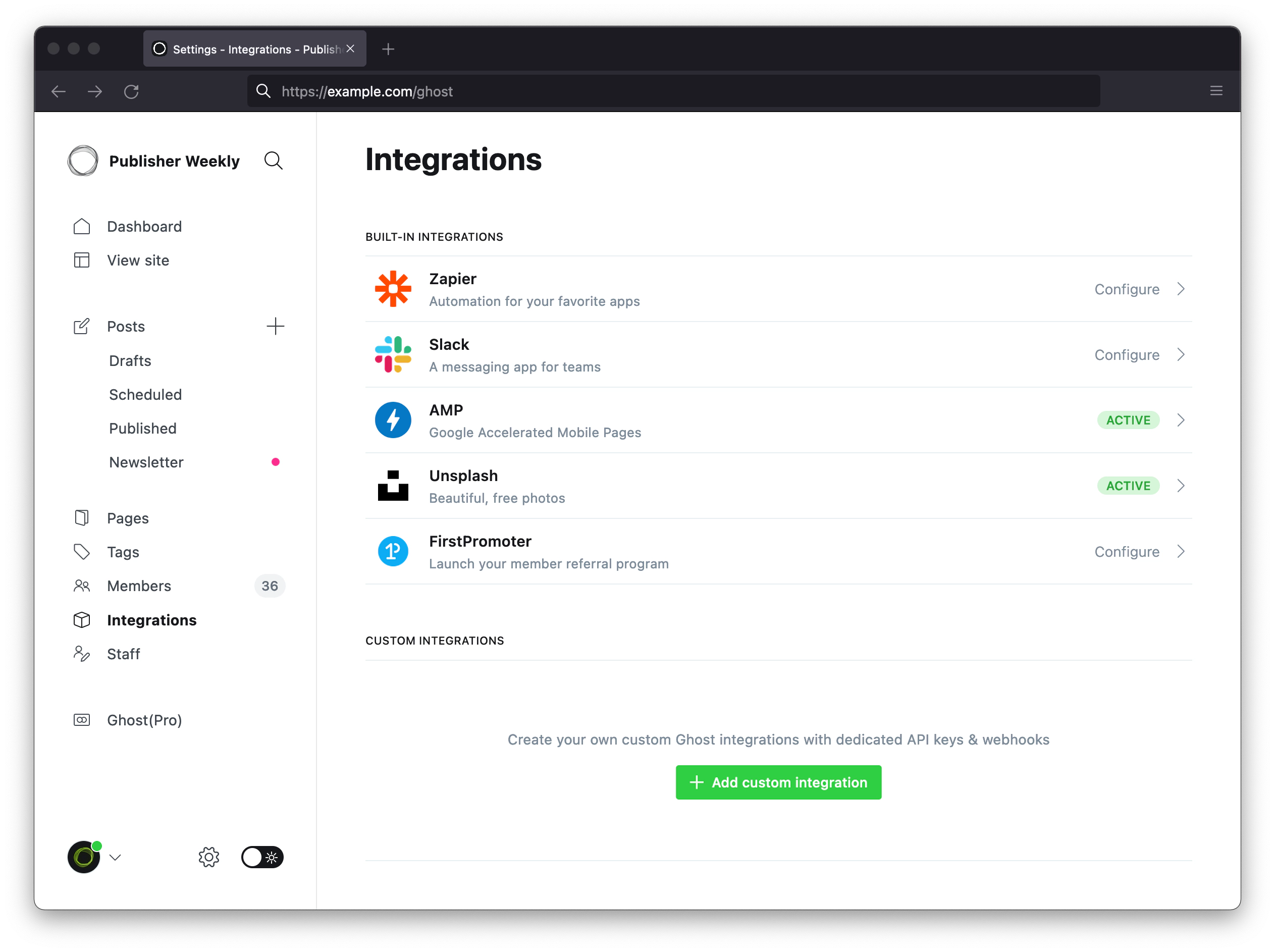
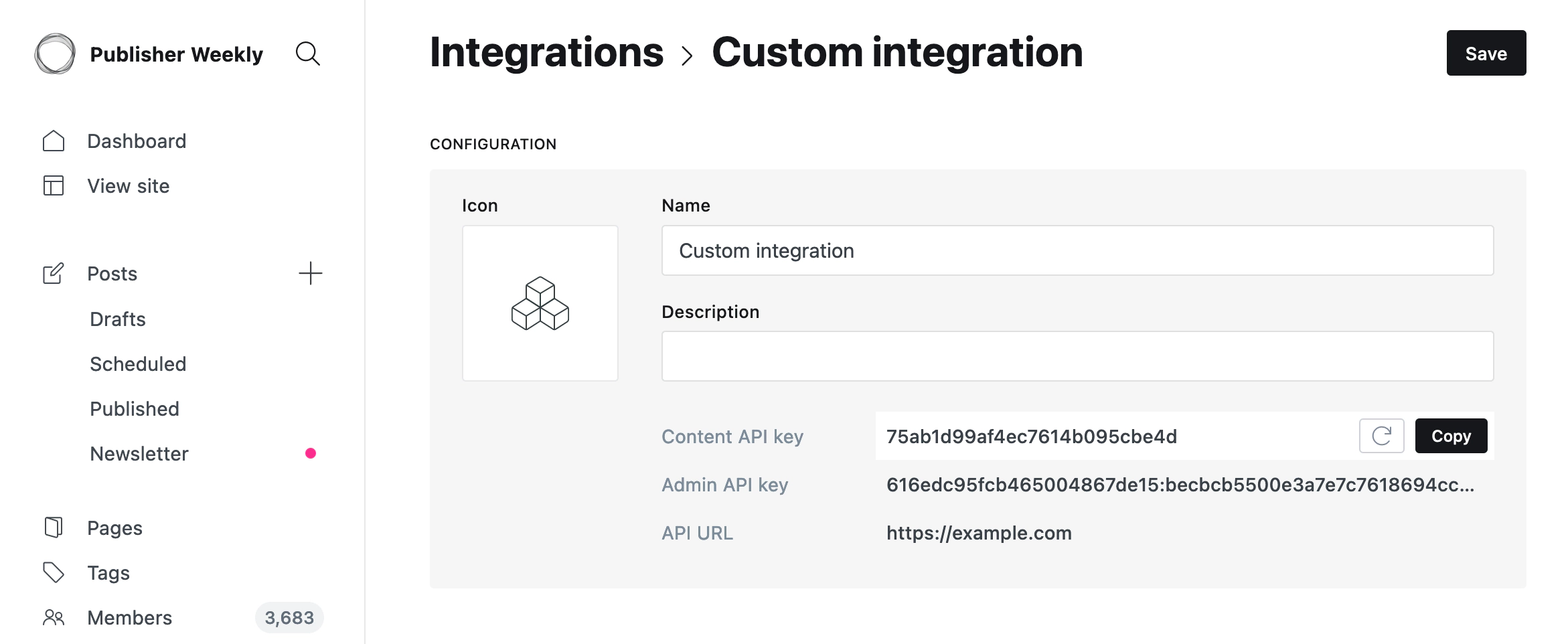
Connect Ghost
- In Surpasso, open Workspace → Integrations and choose Ghost.
- Enter the public URL your readers visit, including
https://. Do not append/ghostor/ghost/api/admin. - Paste the Admin API key from the Custom Integration.
- Select Test and connect.
After creating the key in Ghost, enter it in Surpasso:
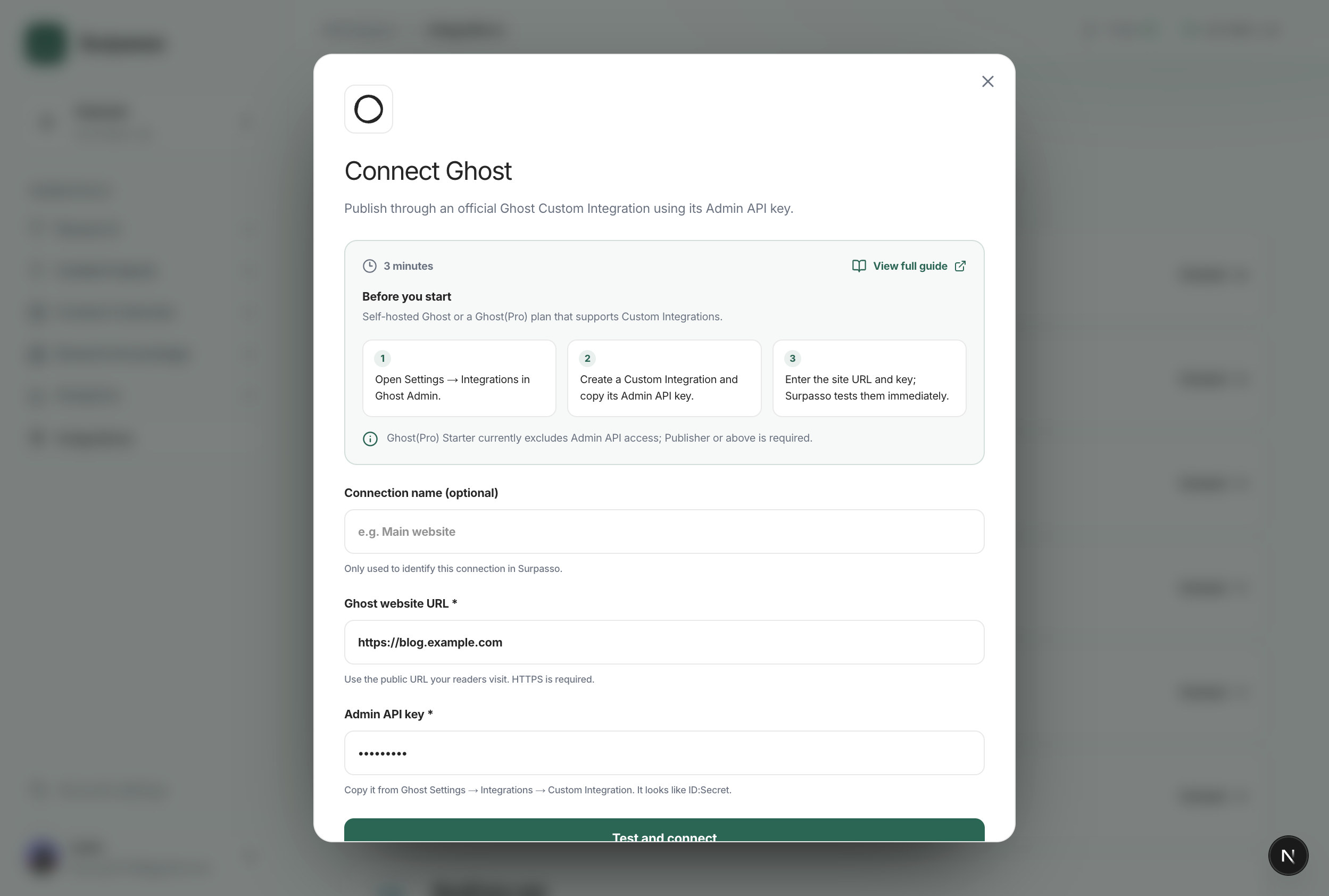
The test reads the Ghost site identity and verifies that the Admin API key is accepted. It does not create or publish a post. The connection is marked Ready only after this check succeeds.
The key is encrypted and can be revoked from Ghost without changing your Ghost account password.
What happens after connecting
- Create draft: Surpasso sends the title, body, excerpt, slug, SEO fields, featured image, and tags to Ghost.
- Publish: Surpasso publishes that same draft.
- Update: later edits update the same Ghost post and preserve whether it is currently a draft or published.
- Delete: delete the post in Ghost Admin. Revoking the Custom Integration stops future access but does not remove existing posts.
Each connection is owned by the signed-in Surpasso account and tied to the selected brand. Its site URL and encrypted Admin API key are not reused for another customer or brand.
If the test fails
Check the following:
- You copied the Admin API Key, not the Content API key.
- The URL is the public HTTPS site root and is reachable without a VPN or allowlist.
/ghost/api/admin/site/is not blocked or redirected by a proxy, firewall, or access gateway.- Your Ghost(Pro) plan supports Custom Integrations, or your self-hosted Ghost installation has not disabled them.
If you rotate or revoke the key, reconnect Ghost before publishing again.