
Ghost
使用 Ghost 官方 Custom Integration 和 Admin API Key 连接网站。
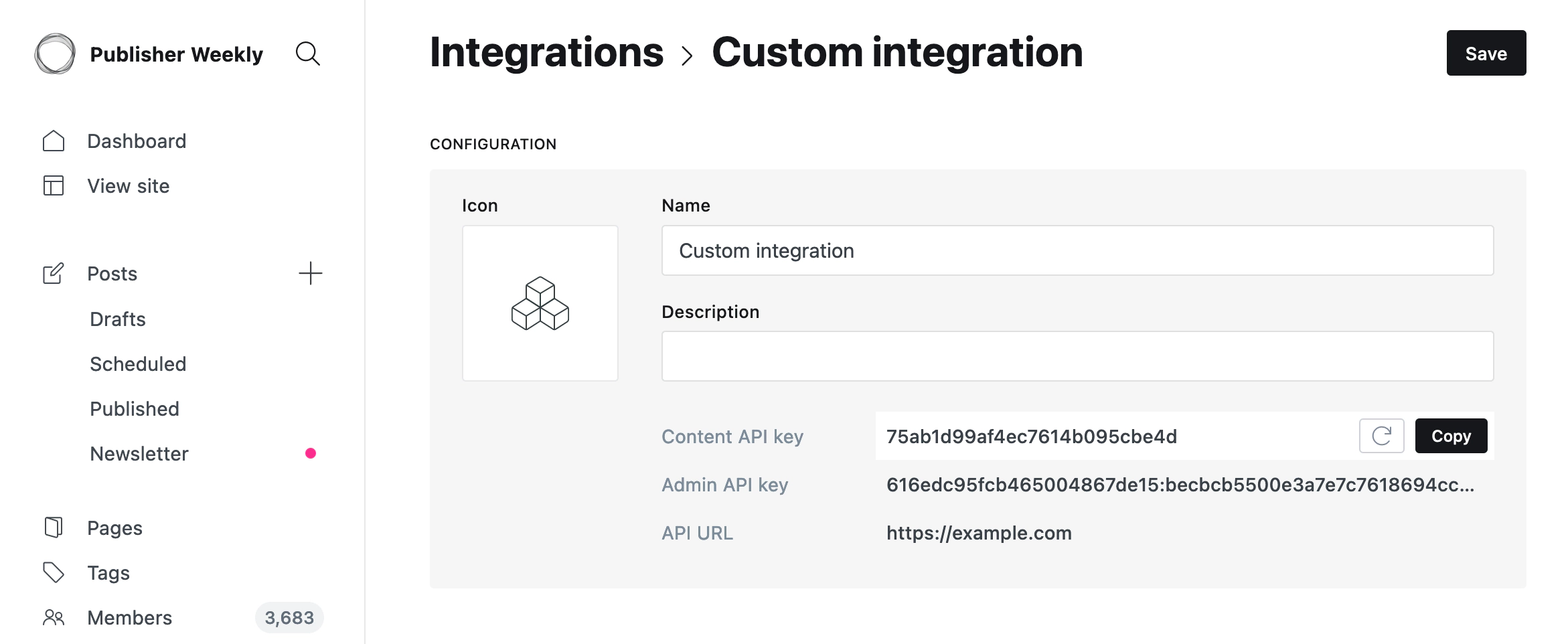
Ghost 发布需要 Custom Integration 的 Admin API Key。不要使用 Content API Key, 因为 Content API 只能读取公开内容,不能发布文章。
开始前需要准备
自托管 Ghost 和 Ghost(Pro) Publisher 或更高套餐可以使用 Custom Integrations 和 Admin API。Ghost(Pro) Starter 不包含 Custom Integrations 或 Admin API 权限。
网站必须使用公开 HTTPS,并能访问标准的 /ghost/api/admin/ 路径。如果 Ghost
位于反向代理后面,请确认代理不会修改域名,也不会重定向或拦截这个路径。
创建 Ghost 凭证
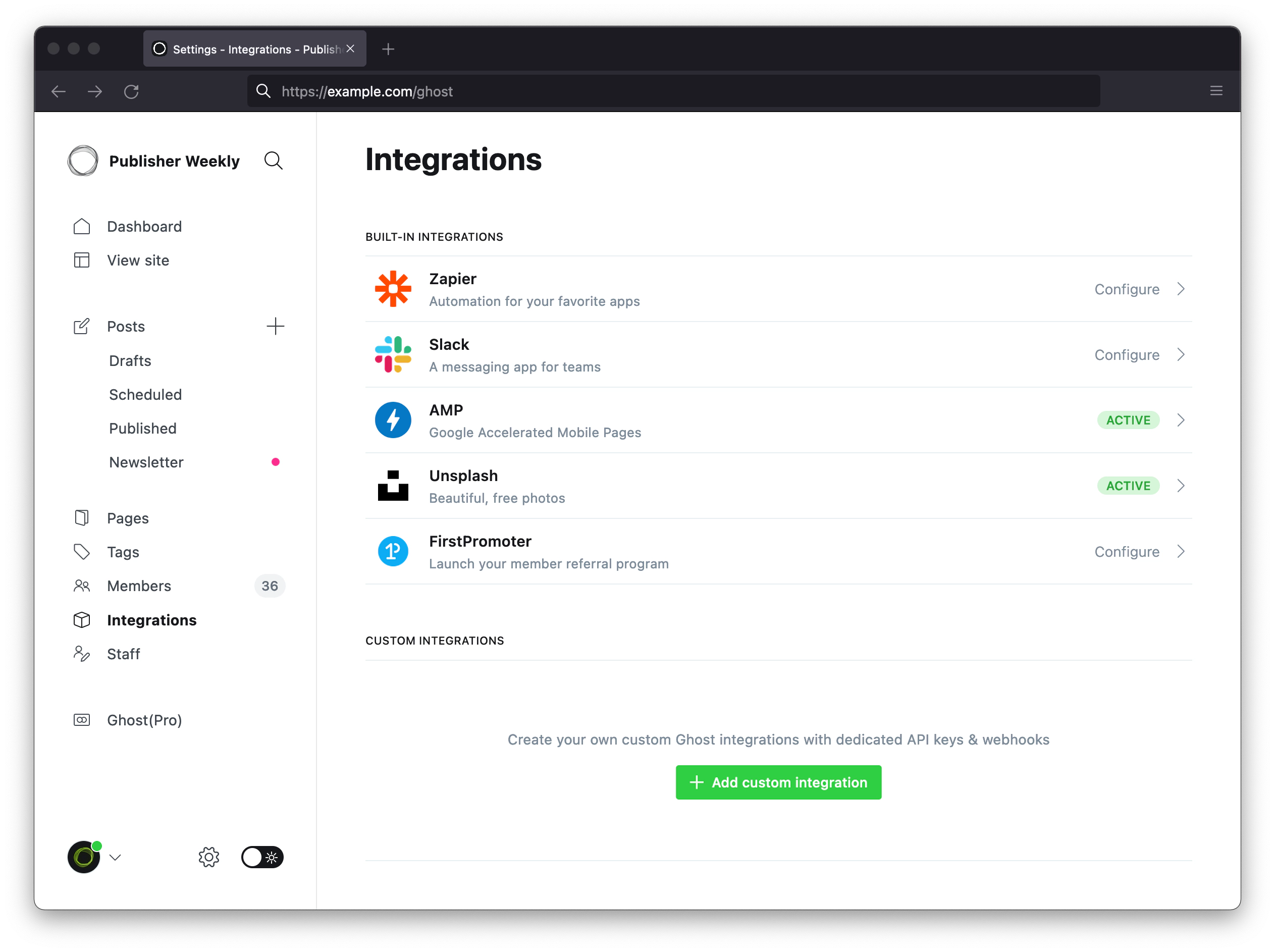
- 在 Ghost 后台打开 Settings → Integrations。
- 点击 Add custom integration。
- 名称填写
Surpasso,然后创建。 - 复制 Admin API Key,格式类似
id:secret。
Ghost 官方 Custom Integrations 教程 展示了同样的两个页面。先点击 Add custom integration,然后从新建的 Integration 中复制 Admin API Key。不要复制 Content API Key,也不要复制教程图片里的示例密钥。
连接步骤
- 在 Surpasso 打开 Workspace → Integrations,选择 Ghost。
- 输入读者实际访问的公开网站地址,并包含
https://。不要在末尾添加/ghost或/ghost/api/admin。 - 粘贴 Custom Integration 中的 Admin API Key。
- 点击 测试并连接。
在 Ghost 中创建密钥后,再回到 Surpasso 填写:
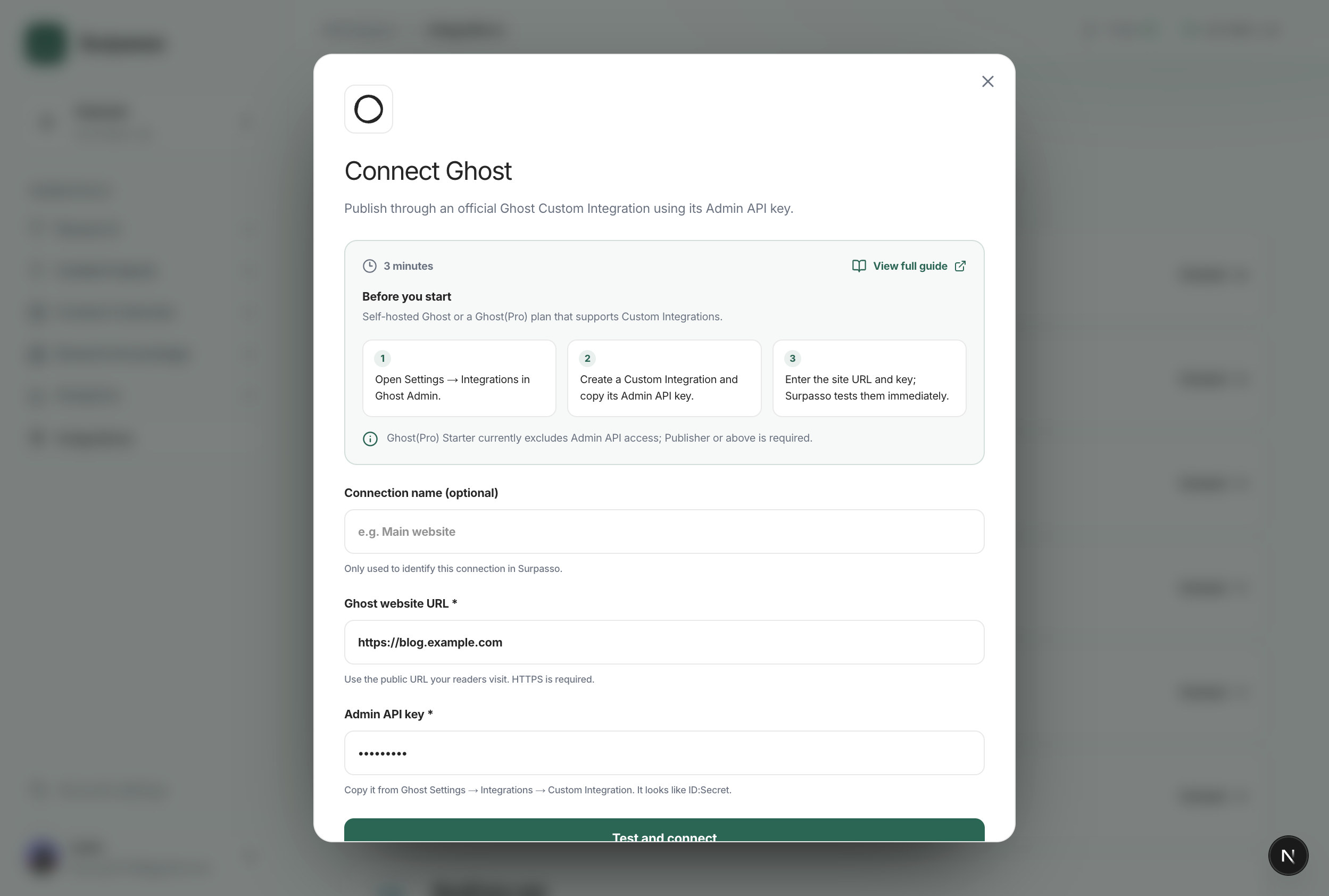
测试会读取 Ghost 网站身份,并确认 Admin API Key 可以正常使用;不会创建或发布文章。 只有这一步成功后,连接才会显示为 Ready。
密钥会加密保存,也可以随时在 Ghost 中单独撤销,不需要修改 Ghost 登录密码。
连接后可以做什么
- **创建草稿:**把标题、正文、摘要、网址别名、SEO 字段、封面图和标签发送到 Ghost。
- **正式发布:**发布同一篇草稿,不会创建重复文章。
- **继续修改:**之后的修改会同步到同一篇 Ghost 文章,并保留草稿或已发布状态。
- **删除:**请在 Ghost 后台删除文章。撤销 Custom Integration 只会停止以后访问, 不会删除已有文章。
每条连接都属于当前登录的 Surpasso 账号,并绑定到当前选中的品牌。网站地址和加密后的 Admin API Key 不会与其他客户或品牌混用。
测试失败
依次检查:
- 复制的是 Admin API Key,不是 Content API Key。
- 填写的是公开 HTTPS 网站根地址,外部访问不需要 VPN 或 IP 白名单。
- 反向代理、防火墙或访问网关没有拦截或重定向
/ghost/api/admin/site/。 - Ghost(Pro) 套餐支持 Custom Integrations,或者自托管 Ghost 没有关闭这项功能。
如果更换或撤销了密钥,请先重新连接 Ghost,再继续发布。